Body
In a market where customers expect instant replies, email and phone calls are no longer fast enough. Most of your customers are already on WhatsApp — the question is whether your business is set up to respond there efficiently, or still relying on one person checking a phone throughout the day. That's the gap the WhatsApp Business API closes.
What Is the WhatsApp Business API?
Unlike the regular WhatsApp Business app (built for solo use on one phone), the WhatsApp Business API is designed for growing teams. It connects your business number to automation tools, CRM systems, and multiple support agents at once — officially, through Meta-approved providers, without risking your number getting banned.
Why the WhatsApp API Matters for Your Business
1. Instant, 24/7 Response
Automated replies handle common questions — pricing, hours, availability — the moment a customer messages, even outside business hours. This alone prevents a large share of lead drop-off.
2. Every Conversation Becomes a Trackable Lead
Instead of enquiries living and dying inside one person's chat app, the API integrates with your CRM so every message becomes a recorded, followable lead — no more "I think someone messaged about that last week."
3. One Number, Multiple Team Members
A shared team inbox means your sales, support, and operations staff can all work from the same WhatsApp number without passing around a single phone.
4. Automated Notifications and Reminders
Order confirmations, appointment reminders, and delivery updates go out automatically — reducing no-shows and repetitive manual messaging.
5. Broadcast Campaigns, Done Right
Send offers, updates, or reminders to opted-in customer lists using Meta-approved message templates, instead of manually forwarding messages one by one.
Common Concerns Businesses Have
"Isn't this just for big companies?"
No — small and mid-sized businesses often see the fastest impact, since they're the ones losing the most to manual, one-person chat handling.
"Will it feel robotic to customers?"
Not if it's set up well. Automation handles the repetitive first response; your team steps in for anything that needs a human touch.
How to Get Started
- Choose an official Meta Business Solution Provider (never an unofficial/unauthorized WhatsApp automation tool — it risks your number getting banned)
- Get your business verified and your WhatsApp number migrated to the API
- Set up your first automation: FAQ auto-replies and lead capture are the easiest starting point
- Connect it to your CRM so nothing falls through the cracks
- Expand into broadcasts, appointment reminders, and multi-agent support as you grow
Final Thoughts
The WhatsApp Business API isn't about replacing your team — it's about making sure no customer message gets missed while your team handles the conversations that actually need a person. For businesses fielding steady enquiry volume, it's quickly becoming as standard as having a website.
Frequently Asked Questions
Is the WhatsApp Business API different from the free WhatsApp Business app?+
Yes. The free app works for one person on one phone. The API supports multiple team members, CRM integration, and automation — built for businesses handling higher message volume.
Is WhatsApp API automation legal for businesses in India?+
Yes, when set up through an official Meta Business Solution Provider with proper customer opt-in for marketing messages.
How much does WhatsApp API automation typically cost?+
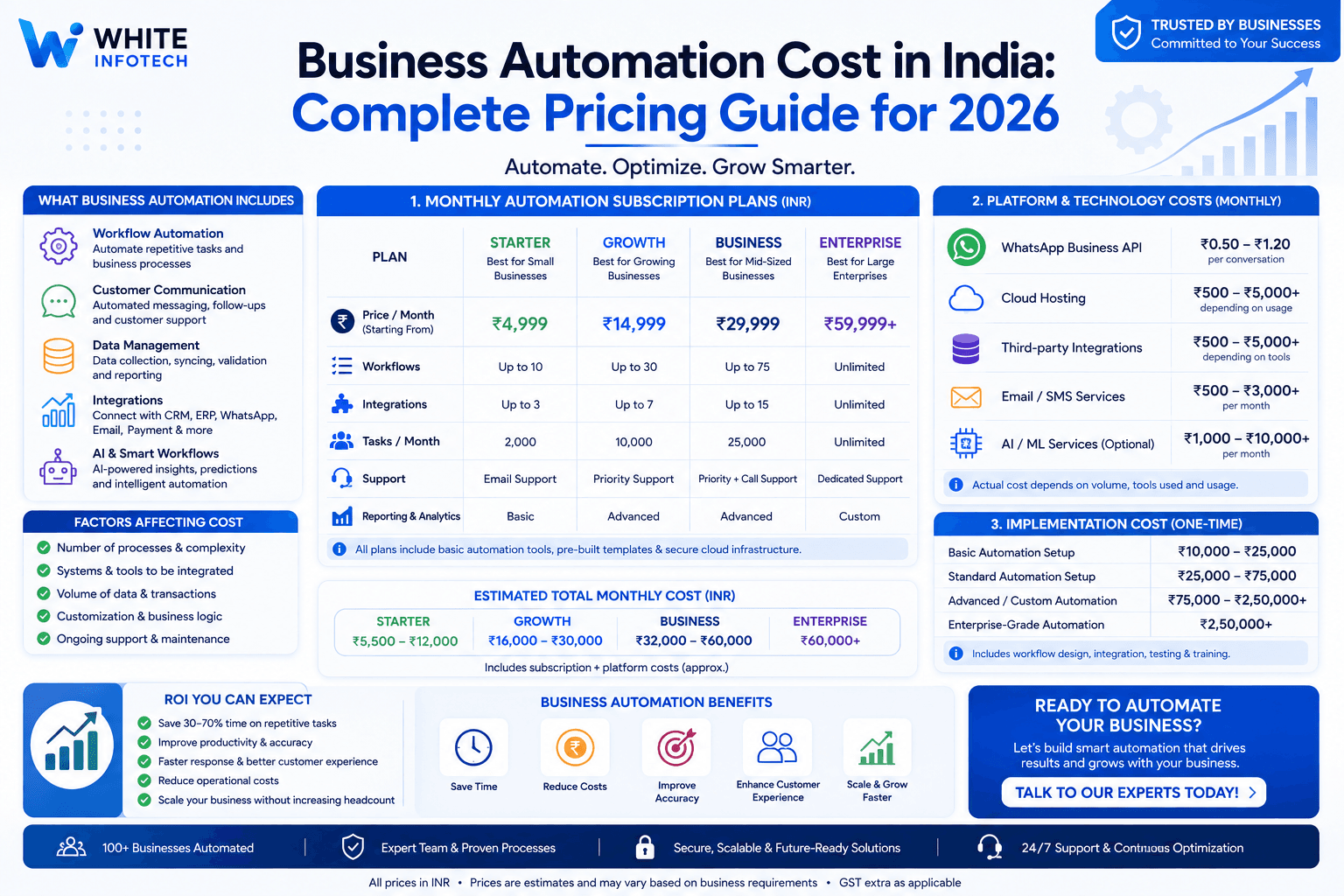
Entry-level plans usually start around ₹399–₹999 per month for the platform, plus Meta's per-conversation charges, which vary by message category (marketing, utility, or service).
Do I need a developer to set this up?+
No. Most providers offer no-code chatbot builders and handle the Meta verification and setup process for you.

White Infotech · Business Automation Experts
Business automation experts since 2013 — 100+ CRM, WhatsApp automation and ERP projects delivered across India.